
April 30, 2012

April 25, 2012
The Power of Words
Watch this powerful illustration of the power of words.
Too often we slap some words together for our web site, our brochure, our
LinkedIn status, ... We forget that words have great power. Dare I even
mention the emails we write!!
It's a beautiful day!
Too often we slap some words together for our web site, our brochure, our
LinkedIn status, ... We forget that words have great power. Dare I even
mention the emails we write!!
It's a beautiful day!
April 24, 2012
Microsoft 2007 - How to Insert a Text Box
Text boxes allows you to position a block of text in your document anywhere and format them with shading and borders.
To insert a text box in your Word 2007 document:
1. Open the Insert Ribbon. In the Text section
2. Click the Text Box button.
You will see a gallery of pre-formatted text boxes. Scroll through the list and click one to insert it in your document. You can also draw your own text box. To draw your own text box, click Draw text box. Position the cursor where you would like to place the corner of your text box. Click and drag to draw your text box.
Your text box appears with a border that you can use to resize or reposition the text box. Enter text in the box by clicking and typing in the box. Text in the box can be formatted like other text in your document.
To insert a text box in your Word 2007 document:
1. Open the Insert Ribbon. In the Text section
2. Click the Text Box button.
You will see a gallery of pre-formatted text boxes. Scroll through the list and click one to insert it in your document. You can also draw your own text box. To draw your own text box, click Draw text box. Position the cursor where you would like to place the corner of your text box. Click and drag to draw your text box.
Your text box appears with a border that you can use to resize or reposition the text box. Enter text in the box by clicking and typing in the box. Text in the box can be formatted like other text in your document.
April 23, 2012
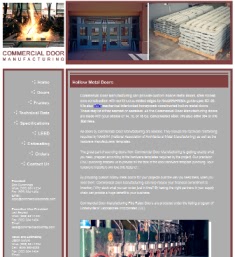
Web Site Update for Commercial Door Manufacturing
Your Computer Lady made a few content edits and added some new pictures to bring this web site up to date for Commercial Door Manufacturing.



April 19, 2012
Excel 2007 - Count Blank Cells
The Countblank function is one of Excel's count functions that is used to count the number of blank cells in a selected range.
=COUNTBLANK( Enter Range)
This is very help if you have a large speadsheet and you are looking for a cell that is missing data.
=COUNTBLANK( Enter Range)
This is very help if you have a large speadsheet and you are looking for a cell that is missing data.
April 18, 2012
How Businesses Are Using Facebook’s Timeline
I know the new timeline view is confusing a lot of us and forcing us to change plans. Here is an excellent article from Social Examiner on how to take advantage of the changes.
April 17, 2012
Print a Cheat Sheet for Word 2007's Shortcut Keys
There are so many commands and shortcut keys in Word 2007 that it's hard to remember all of them. Did you know that you can print a list of Word's shortcut keys? Follow these easy steps to print the shortcut keys:
1. Click Ctrl+P to open the Print dialog box.
2. Find the drop-down box labeled Print what.
3. Select Key Assignments.
4. Click OK.
Now remember to store it in a safe place.
1. Click Ctrl+P to open the Print dialog box.
2. Find the drop-down box labeled Print what.
3. Select Key Assignments.
4. Click OK.
Now remember to store it in a safe place.
Subscribe to:
Posts (Atom)


